

Layer shifting is one of the most frustrating problems a maker can face. You start a print, everything looks perfect… and then you come back to find the layers misaligned, the model leaning like it’s had a rough night out, or sharp steps appearing where smooth walls should be.
If you’ve ever searched “3D printer layer shifting” in a panic, you’re not alone. The good news? Layer shifting is usually very fixable once you understand what’s causing it.
In this guide, we’ll break down layer shifting in 3D printing, explain the mechanical vs software causes, and give you practical, real-world fixes you can apply straight away.
Whether you’re brand new to 3D printing or have logged hundreds of print hours, there should be something useful here for you.
What Is Layer Shifting?
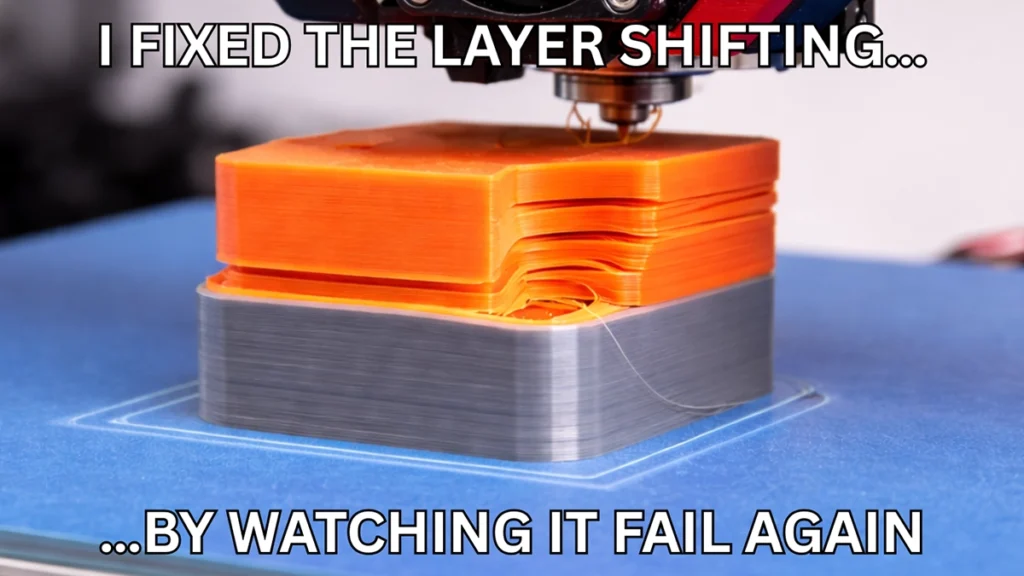
Layer shifting occurs when successive layers of a 3D print are offset horizontally instead of stacking perfectly on top of each other. The result is a visible “step” in the model, often along the X or Y axis.
This happens when the printer loses positional accuracy during a print. In simple terms, the printer thinks the nozzle is in one position, but mechanically, it’s somewhere else.
Unlike issues such as stringing or poor adhesion, layer shifting usually points to a movement problem, not an extrusion problem.
Why Layer Shifting Matters
Layer shifting isn’t just a cosmetic issue.
- It compromises dimensional accuracy
- It weakens part strength
- It wastes time, filament, and electricity
- It can make functional parts completely unusable
If you’re printing parts that need to fit together — brackets, enclosures, gears — even a small shift can ruin the final result.
Mechanical Causes of Layer Shifting
Mechanical issues are the most common cause of layer shifting in 3D printing. Anything that prevents the printer from moving smoothly and consistently can cause skipped steps.
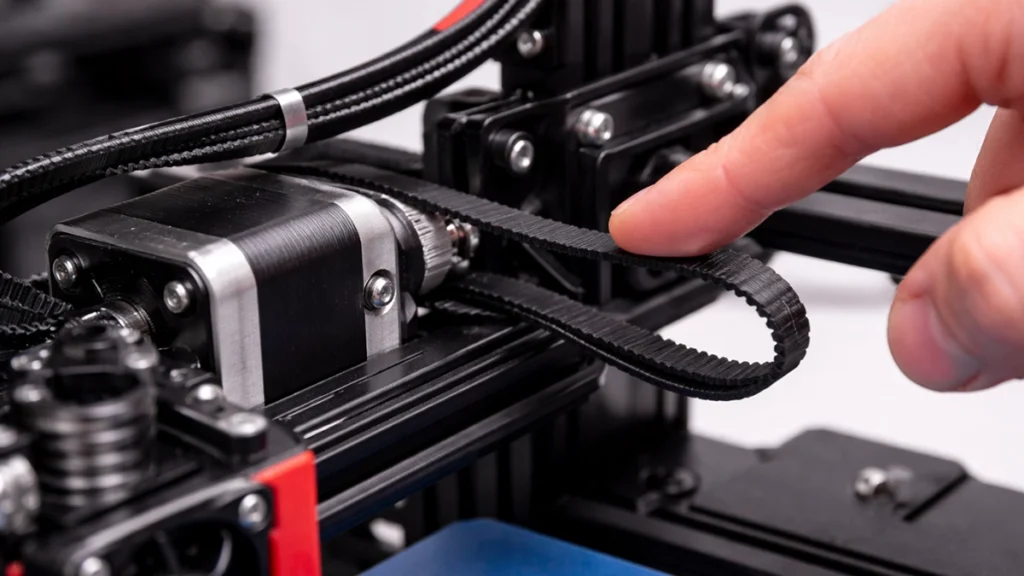
Loose Belts and Pulleys
Loose belts are public enemy number one.
If the belt tension is too low, the belt can slip on the pulley when the motor changes direction or accelerates quickly. This causes the printer to miss steps, resulting in sudden layer shifts.
What to look for:
- Belts that feel floppy or sag
- Clicking or knocking sounds during fast moves
- Shifts that happen suddenly at a specific layer height
Fix:
Tighten belts so they are firm but not overstretched. A good rule of thumb is that the belt should twang slightly when plucked — not flop, and not feel like a guitar string about to snap.
Unstable Frame or Printing Surface
Even a perfectly calibrated printer can suffer from layer shifting if it’s sitting on an unstable surface.
High-speed movements and sharp direction changes create vibrations. If the printer rocks or shifts slightly, the motors may not be able to compensate.
Common culprits:
- Wobbly tables
- Lightweight desks
- Printers placed near washing machines or workshop tools
Fix:
Place your printer on a solid, rigid surface. Heavier tables, concrete floors, or adding vibration-damping feet can make a noticeable difference.
Dirty or Worn Motion Components
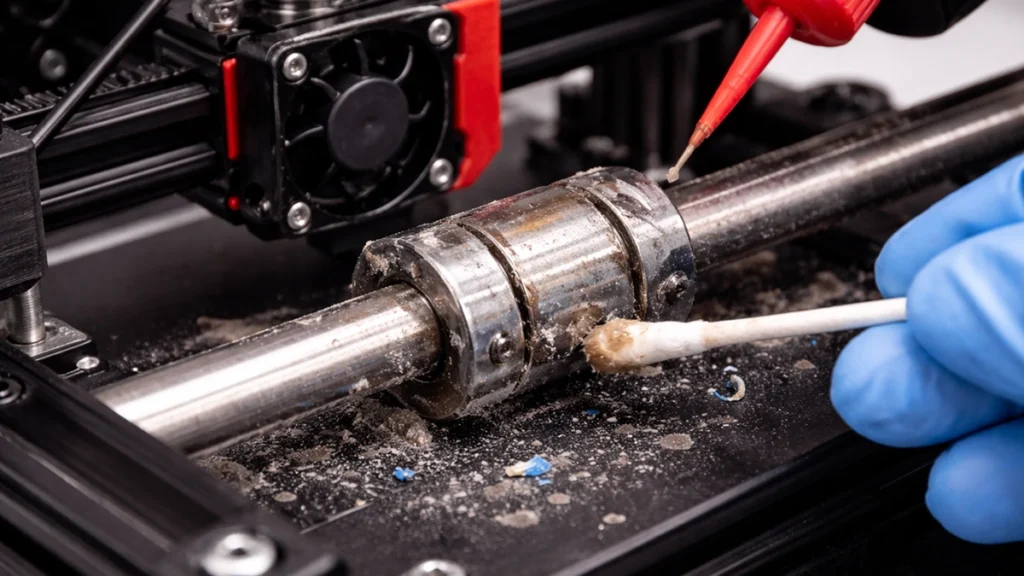
Dust, filament debris, and dried lubricant can increase resistance on rods, rails, and bearings. When resistance increases, stepper motors have to work harder — and that’s when skipped steps happen.
Fix:
- Clean linear rods and rails regularly
- Lubricate with an appropriate lubricant (not WD-40)
- Check bearings for wear or grinding
This is especially important in dusty environments or workshops.
Software and Slicer Causes of Layer Shifting
Not all layer shift causes are mechanical. Sometimes, your printer is simply being pushed harder than it can handle.
Excessive Print Speed and Acceleration
Modern slicers make it tempting to crank up speeds, but faster isn’t always better.
High print speeds, aggressive acceleration, and high jerk values place significant strain on motors and belts. Even well-built printers have limits.
Signs this might be the issue:
- Shifts occur during sharp corners
- Shifts appear on fast travel moves
- Prints fail only at higher speeds
Fix:
Reduce:
- Print speed
- Acceleration
- Jerk (or junction deviation)
Slowing things down slightly can dramatically improve reliability.
Corrupted or Poorly Generated G-code
Sometimes the problem isn’t the printer — it’s the file.
Corrupted G-code or poorly tuned slicer profiles can cause unexpected toolpath behaviour that leads to layer shifts.
Fix:
- Re-slice the model using default slicer settings
- Try a different SD card or USB cable
- Update your slicer software if needed
This is a quick and often overlooked diagnostic step.
Electrical and Environmental Factors
Layer shifting can also be caused by things outside the usual mechanical vs software debate.
Stepper Motor or Driver Overheating
When stepper drivers overheat, they may temporarily shut down or reduce power without warning. This results in missed steps — and yes, layer shifts.
Fix:
- Ensure electronics cooling fans are working
- Improve airflow around the control board
- Avoid enclosing electronics unless properly cooled
External Interference
Accidental bumps, pets, curious kids, or nearby machinery can all cause a shift mid-print.
Even something as simple as brushing against the printer frame can be enough.
Real-Life Example: The “Mid-Print Mystery Shift”
A common scenario seen in print labs and maker spaces is a print that always shifts at roughly the same height.
In one case, the cause turned out to be a cable chain that tightened as the print moved higher, adding resistance to the X-axis. Once the cable routing was adjusted, the problem disappeared entirely.
The lesson? Always look for patterns. Consistent shifts often point to mechanical interference.
Practical Fix Checklist
If you’re troubleshooting 3D printer layer shifting, work through this list:
- Check and tension belts regularly
- Secure the printer on a rigid, vibration-free surface
- Reduce print speed and acceleration
- Clean and lubricate motion components
- Ensure electronics cooling is sufficient
- Re-slice the model and regenerate G-code
Take a methodical approach — change one thing at a time.
Frequently Asked Questions
Can layer shifting fix itself?
No. If it happens once, it’s likely to happen again until the underlying issue is addressed.
Does layer shifting affect part strength?
Yes. Shifted layers weaken the bond between layers and can cause premature failure.
Is layer shifting more common on budget printers?
It can be, but even high-end printers can suffer from it if poorly maintained or pushed too hard.
Final Thoughts: Stop Wasting Prints
Layer shifting in 3D printing can feel overwhelming, but it’s rarely mysterious once you know where to look. Most issues come down to movement, resistance, or unrealistic settings.
By understanding the mechanical causes of layer shifting and balancing them with sensible software settings, you can dramatically improve print reliability and quality.
If you’re still struggling, consider exploring professional calibration services, upgraded components, or in-depth troubleshooting guides tailored to your specific printer model.👉 Want more practical 3D printing tips, troubleshooting guides, and optimisation advice?
Browse our related resources or get in touch — we’re always happy to help you get cleaner, stronger, more reliable prints.
