
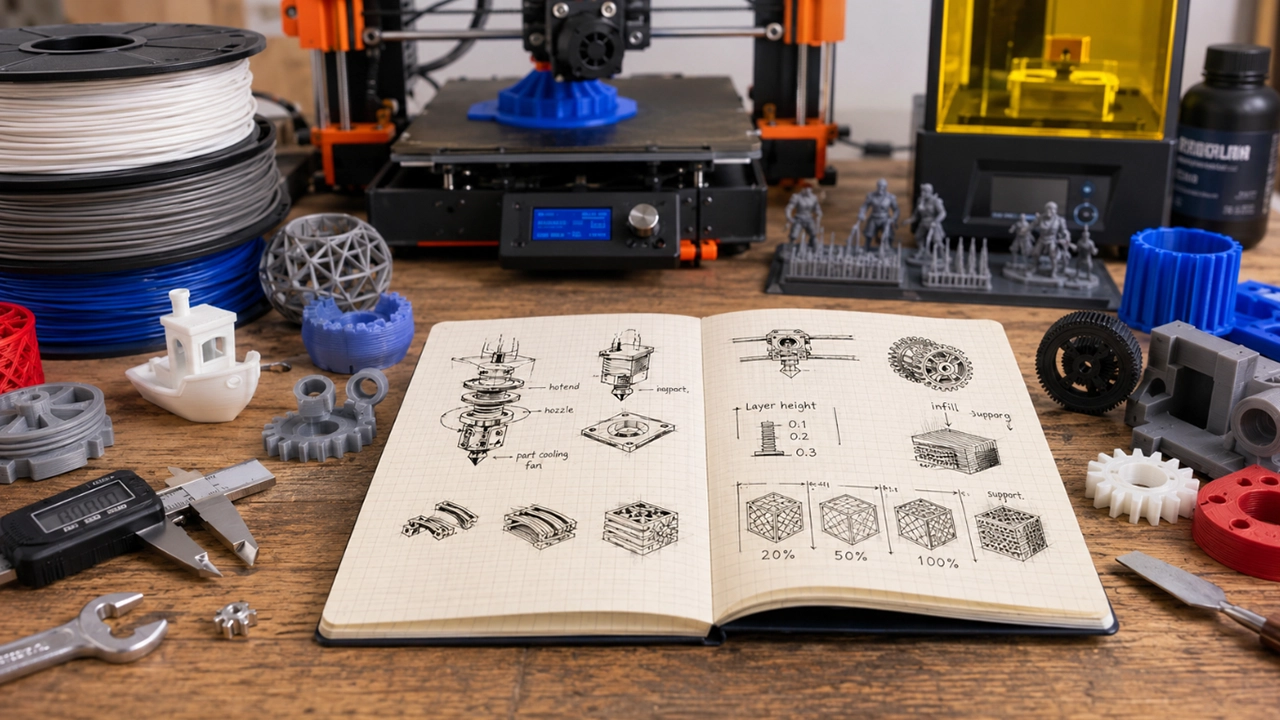
New to 3D printing, or tired of Googling the same unfamiliar term every time it pops up in a Facebook group or forum thread? Don’t worry — 3D printing terminology can feel like learning an entirely new language at first.
From slicers and hotends to infill, retraction and Z-banding, there are plenty of terms to get your head around. The good news? Once you understand the basics, troubleshooting your printer and improving your prints becomes a whole lot easier.
This 3D printing glossary breaks down the most common 3D printing terms, acronyms and settings you’re likely to come across. Whether you’re buying your first printer or have been printing for years, consider this your handy go-to guide whenever the jargon gets confusing.
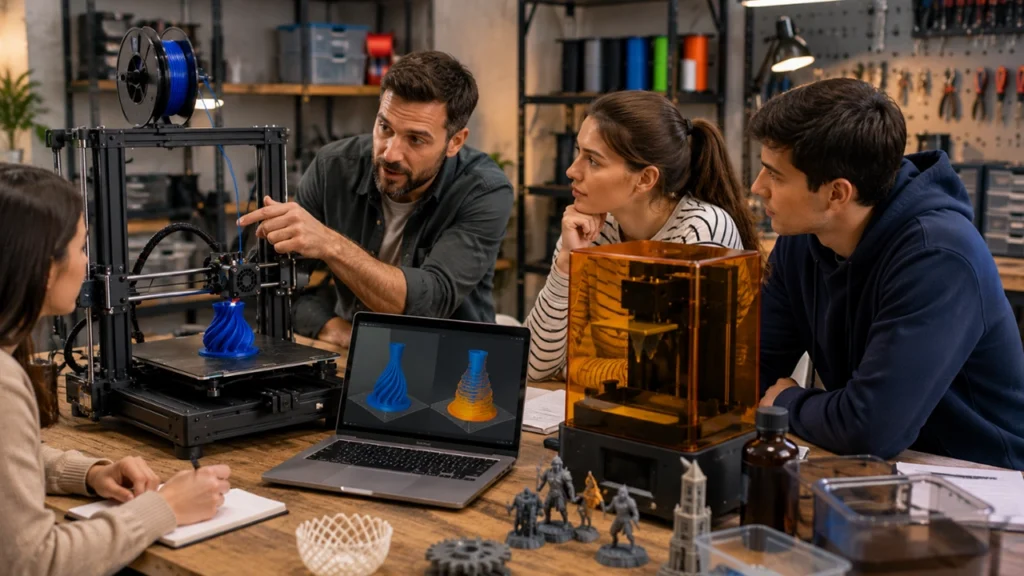
3D Printing Technologies
FDM (Fused Deposition Modelling)
FDM is the most common type of consumer 3D printing. A printer heats plastic filament until it becomes soft enough to flow through a nozzle, depositing the material layer by layer until the model is complete.
Most hobbyist and entry-level 3D printers use this technology, making FDM one of the first terms you’ll encounter when exploring the world of 3D printing.
FFF (Fused Filament Fabrication)
FFF is technically the more accurate generic term for the process many people call FDM, as FDM is a trademarked term. In everyday 3D printing conversations, however, the two are often used interchangeably.
So, if someone talks about an FFF printer, they’re generally referring to the same type of filament-based printing technology you’re familiar with.
Resin Printing (SLA, MSLA and DLP)
Unlike FDM printing, resin printers use light to cure liquid resin into solid layers. Different technologies, including SLA, MSLA and DLP, use slightly different methods of exposing the resin to light.
Resin printing is known for producing exceptionally fine detail, making it popular for miniatures, jewellery and highly detailed models. However, it also involves additional steps, including washing and post-curing prints, as well as handling uncured resin safely.
Slicer
A slicer is software that converts a 3D model into instructions your printer can understand. The software essentially slices your model into hundreds or thousands of individual layers and generates the toolpath the printer will follow.
Popular slicers include Cura, PrusaSlicer and Orca Slicer. Your slicer is also where you’ll adjust many important print settings, such as layer height, infill, supports and print speed.
G-code
G-code is the set of instructions your 3D printer follows while printing. It tells the printer where to move, when to extrude filament, what temperatures to use and how quickly to perform different movements.
Thankfully, you don’t usually need to write G-code yourself — your slicer generates it automatically.
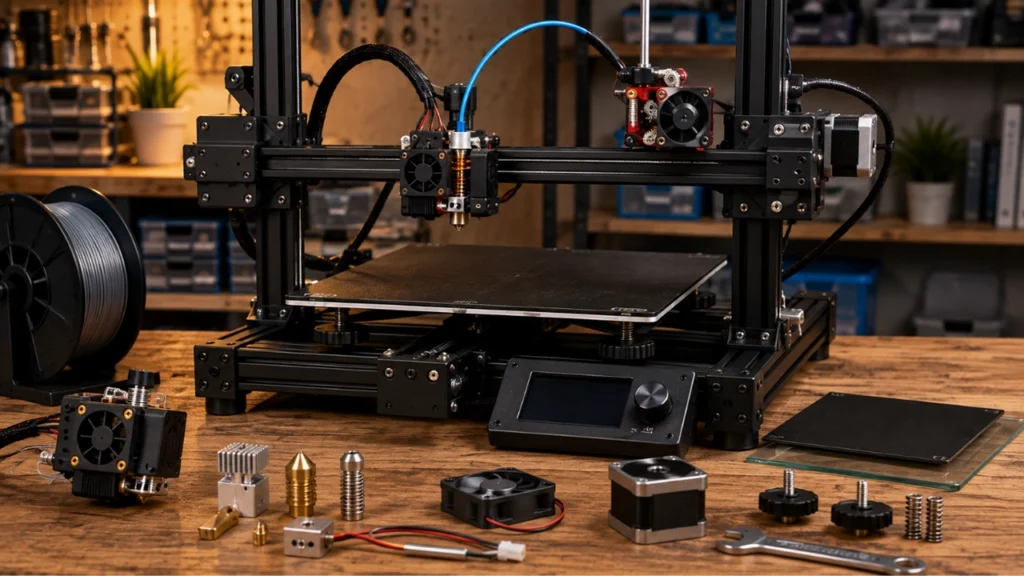
Essential 3D Printer Components
Hotend
The hotend is the assembly responsible for heating and melting filament before it is extruded through the nozzle. It typically includes components such as the heater, thermistor, heatbreak and nozzle.
Temperature problems at the hotend can lead to inconsistent extrusion, poor layer bonding and other frustrating print quality issues.
Nozzle
The nozzle is the small metal tip through which molten filament is pushed onto the print. A 0.4mm nozzle is the most common size for hobbyist printers, offering a good balance between detail and print speed.
Nozzle diameter affects the amount of detail you can achieve and how quickly you can print. Nozzle material matters too, particularly when printing abrasive filaments that can wear down a standard brass nozzle.
Extruder
The extruder is the mechanism responsible for gripping and feeding filament into the hotend.
A direct-drive extruder is mounted close to the hotend, giving the printer more control over the filament. A Bowden setup places the extruder motor elsewhere on the printer and pushes filament through a tube to the hotend.
Print Bed or Build Plate
The print bed, also called a build plate, is the surface your model is printed onto. Good bed adhesion is essential, particularly during those crucial first few layers.
Different printers use different build surfaces, from smooth and textured PEI sheets to glass and other specialised materials.
Thermistor
A thermistor is a small temperature sensor used to monitor the hotend or heated bed. It feeds temperature information back to the printer, helping it maintain the correct temperature while printing.
PID Tuning
PID tuning is a calibration process used to help your printer maintain stable temperatures. If the temperature repeatedly fluctuates above and below the target, PID tuning can help the printer heat more consistently.
Stable temperatures can contribute to smoother extrusion and more reliable print quality.
Part Cooling Fan
The part cooling fan blows air onto freshly printed plastic to help it solidify. This is particularly important when printing bridges, overhangs and fine details.
However, more cooling isn’t always better. Too much cooling can reduce layer adhesion with certain materials, while too little can leave layers soft and prone to drooping.
Gantry or Frame
The gantry and frame form the structure that keeps your printer’s moving components aligned. A rigid, properly assembled frame helps reduce vibration and unwanted movement, which can improve overall print quality.
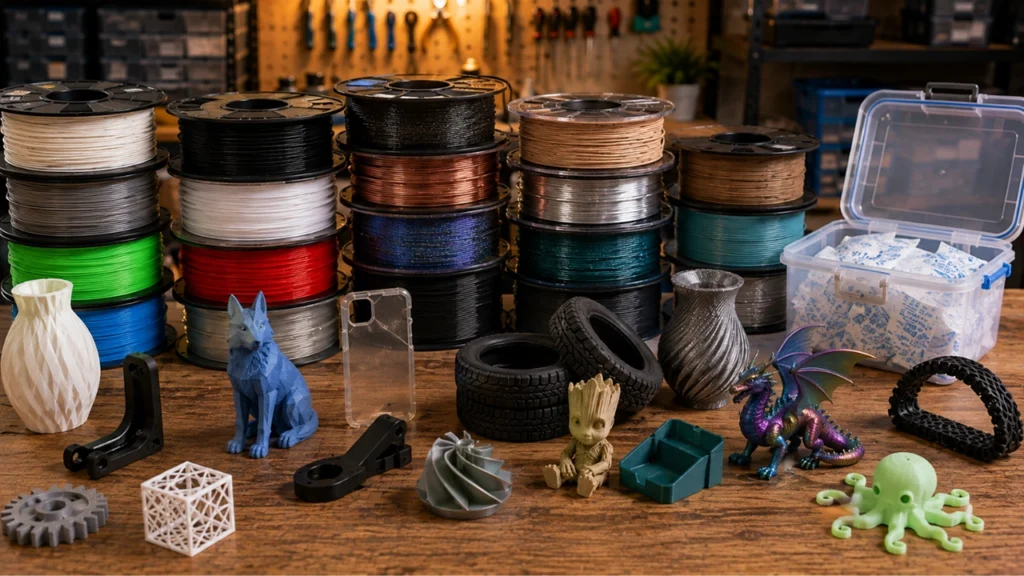
Common 3D Printing Filaments and Materials
PLA (Polylactic Acid)
PLA is widely considered the most beginner-friendly 3D printing filament. It’s generally easy to print, produces relatively little odour and experiences less warping than many other materials.
PLA is a fantastic starting point for decorative models, prototypes and many everyday prints, although it has limited heat resistance.
PETG (Polyethylene Terephthalate Glycol)
PETG is stronger and generally more flexible than standard PLA, with better resistance to heat and moisture. It is a popular choice for functional parts but can require a little more tuning to get the best results.
ABS (Acrylonitrile Butadiene Styrene)
ABS is a durable and heat-resistant material commonly used for functional parts. However, it is more prone to warping than PLA and requires appropriate ventilation and suitable printing conditions.
ASA (Acrylonitrile Styrene Acrylate)
ASA is similar to ABS but offers significantly better UV and weather resistance. This makes it particularly useful for outdoor applications, especially when prints will spend plenty of time exposed to the South African sun.
TPU (Thermoplastic Polyurethane)
TPU is a flexible, rubber-like filament commonly used for items such as phone cases, gaskets, protective parts and wearables.
Because of its flexibility, TPU behaves differently from rigid filaments and often benefits from slower, more carefully tuned print settings.
Speciality Filament
Speciality filaments include materials with added visual effects or unique properties. These may include wood-filled, metal-filled, silk, glow-in-the-dark and colour-changing filaments.
These materials can produce spectacular results but may require different nozzles or print settings depending on their composition.
Filament Diameter
Most consumer 3D printers use either 1.75mm or 2.85mm filament. Always check which diameter your printer requires before purchasing filament.
Using the wrong diameter can prevent the filament from feeding correctly — and no amount of slicer tweaking will fix that!
Hygroscopic
A hygroscopic material absorbs moisture from the surrounding air. Most 3D printing filaments are hygroscopic to some degree, although some absorb moisture faster than others.
Moisture can cause popping, stringing, poor surface quality and weaker prints, making proper filament storage especially important in humid conditions.
Important 3D Print Settings
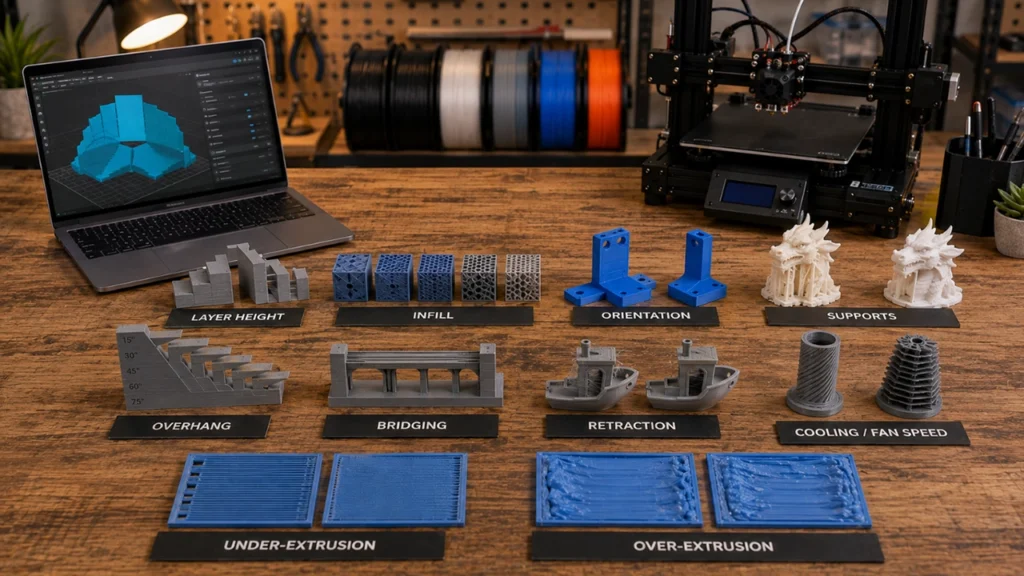
Layer Height
Layer height refers to how thick each individual printed layer is. Smaller layer heights generally produce smoother surfaces and finer detail but increase print time.
A larger layer height can speed up a print but may make individual layers more visible.
Infill
Infill is the internal structure inside a 3D print. Infill density is usually expressed as a percentage, while different infill patterns can affect strength, print time and material usage.
More infill does not automatically mean a better print — the ideal amount depends on what the finished model will actually be used for.
Print Orientation
Print orientation describes how a model is positioned on the build plate before printing. This can have a surprisingly big impact on surface finish, strength, print time and the amount of support material required.
Supports
Supports are temporary structures generated by your slicer to hold up parts of a model that would otherwise print in mid-air. They’re removed once printing is complete.
Well-configured supports can make complex models possible, but poor support settings can leave marks or make cleanup unnecessarily difficult.
Overhang
An overhang is a section of a model that extends outward without sufficient material directly beneath it. Depending on the angle and material, overhangs may require supports to print successfully.
Bridging
Bridging occurs when the printer extrudes filament across a gap with no support underneath. The printer relies on filament tension and rapid cooling to span the gap cleanly.
Retraction
Retraction is a setting that pulls filament back slightly when the nozzle moves between separate areas without printing. This helps reduce unwanted filament ooze and can minimise stringing.
Cooling and Fan Speed
Fan speed controls how quickly freshly printed plastic cools and solidifies. The ideal setting varies between materials and models, so cooling settings often need to be adjusted depending on what you’re printing.
Under-Extrusion and Over-Extrusion
Under-extrusion happens when too little filament is deposited, often causing gaps, thin walls and weak layers.
Over-extrusion is the opposite: too much material is deposited, potentially causing blobs, rough surfaces and inaccurate dimensions.
Common 3D Printing Problems and Defects
Warping
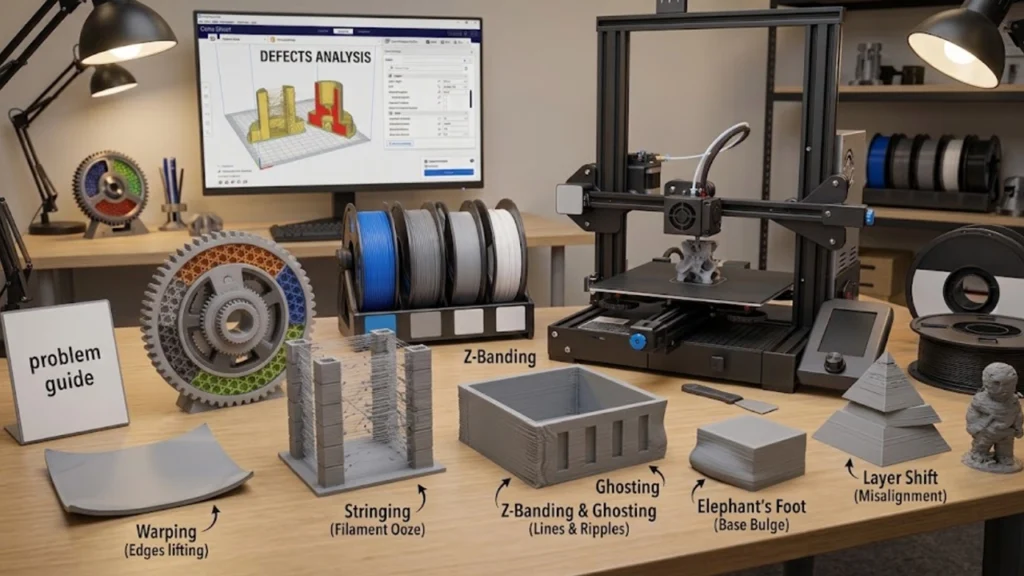
Warping occurs when the edges or corners of a print lift away from the build plate. Uneven cooling and poor bed adhesion are common causes.
Stringing
Stringing refers to those thin, hair-like strands of plastic that appear between separate parts of a model. Retraction settings, temperature and moisture in the filament can all play a role.
Z-Banding and Ghosting
Z-banding appears as repeating horizontal lines or ripples along the sides of a print.
Ghosting, sometimes called ringing, appears as faint echoes of sharp features elsewhere on the model. Both issues are often related to mechanical movement or vibration.
Elephant’s Foot
Elephant’s foot is a slight bulge around the bottom of a print, making the first few layers wider than the rest. It can be caused by excessive first-layer squish, bed temperature or the weight of the model pressing into softer layers.
Layer Shift
A layer shift occurs when one or more layers suddenly print out of alignment with the rest of the model. Common causes include loose belts, mechanical obstructions, excessive speed or a motor skipping steps.
3D Printing Files and Design Terms
STL (Stereolithography File)
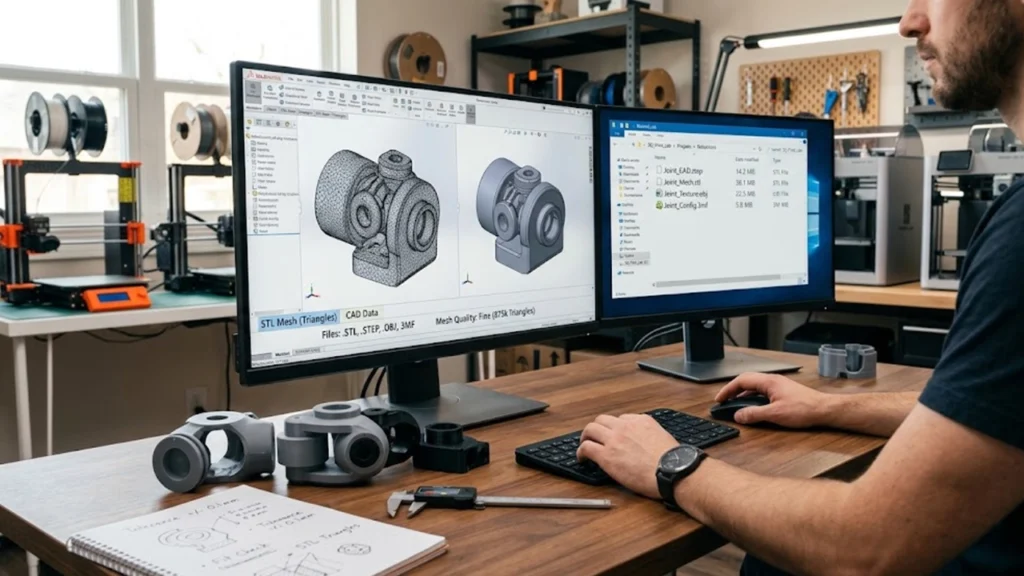
STL is one of the most common file formats used for 3D printing. It represents the surface of a model as a mesh made up of many small triangles.
STEP, OBJ and 3MF
These are alternative 3D model file formats with different strengths.
STEP files are commonly used in engineering and CAD software because they preserve precise geometry. OBJ files can store additional information such as colour and texture data. 3MF is a newer format designed to carry more information about a 3D print, including certain multi-material and printer-specific settings.
CAD (Computer-Aided Design)
CAD software is used to design 3D models from scratch. Depending on the software and your goals, CAD can be used to create everything from simple brackets and replacement parts to complex mechanical assemblies.
Mesh
A mesh is the digital surface of a 3D model, usually made up of connected triangles or polygons. A damaged or non-manifold mesh can cause problems when slicing or printing a model.
Tolerance
Tolerance refers to the acceptable amount of variation in a part’s dimensions. It’s particularly important when designing parts that need to fit together, slide into another component or work as part of a mechanical assembly.

Keep This 3D Printing Glossary Handy
3D printing has plenty of jargon, but you don’t need to memorise every term before you start. The more you print, troubleshoot and experiment, the more naturally these terms will become part of your vocabulary.
Hopefully, this 3D printing glossary gives you a useful starting point whenever you come across unfamiliar 3D printing terminology. Bookmark this page and come back whenever you need a quick refresher.
And if you’re ready to put some of these terms into practice, explore our range of 3D printers, browse our selection of 3D printing filament, or check out our spares and upgrades to keep your printer running at its best. Happy printing!
